
To add a new user, follow the below steps:
-
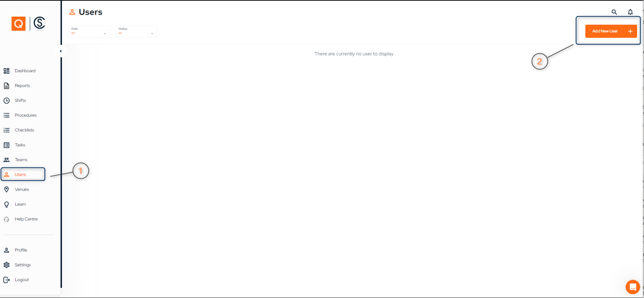
Select "Users" from the left hand menu.
-
Select "Add User" in the top right corner of the screen.
-
Fill in the required fills: first and last name, email, role and competency card if available.
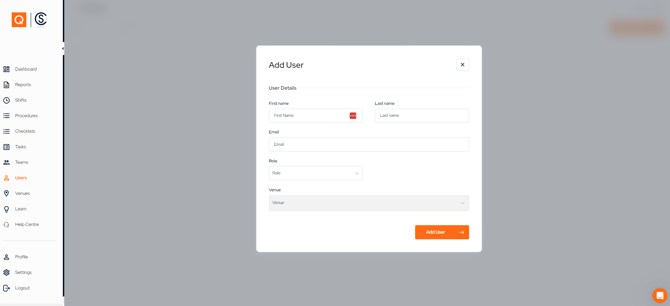
When selecting the user's role, please note the following:
Venue Staff only have permissions to draft a report.
Venue Manager only have permissions to draft and submit a report.
Venue Admin have draft, submit and approval permissions.
The user will receive a welcome email to the email address you entered