1. Navigate to https://www.quantaco.co/
2. Click "LOGIN"

- From the left navigation bar, click Payable.
- Select Payable Invoice.
4. Use the Venue dropdown list to choose the relevant venue.
The page will display invoices associated with that venue.
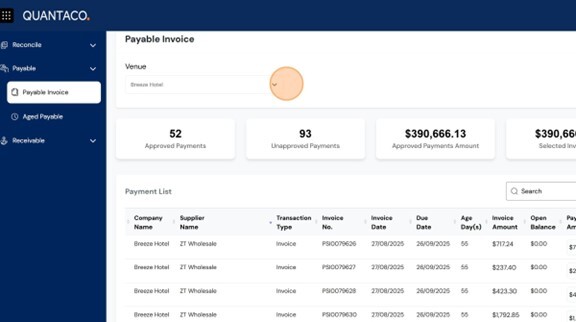
- Approved/ Unapproved Payments
- Approved Payments Amount
- Total amount of approved invoices
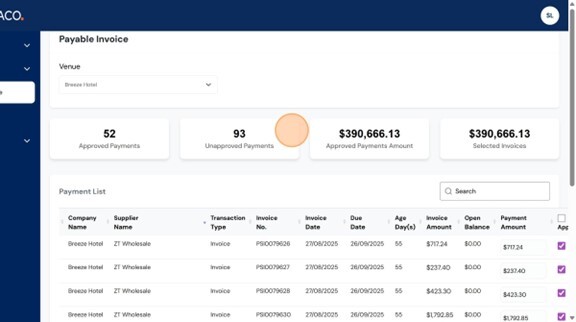
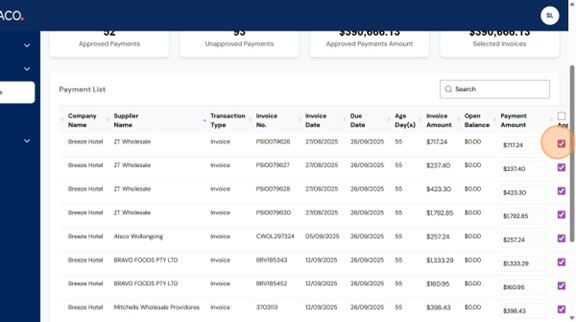
Review the Payment List — this includes all open invoices ready for approval.
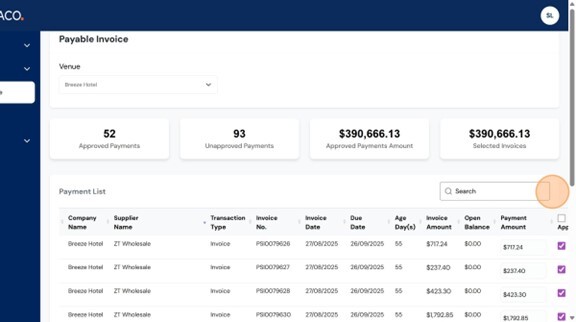
Use the search bar on the right-hand side to filter invoices by:
- Date or Due Date
- Amount
- Supplier Name
- To approve an invoice, tick the checkbox in the Approved column.
- This marks the invoice for payment.
Process Partial Payments (if required)
8. If you need to process a partial amount of the invoice:
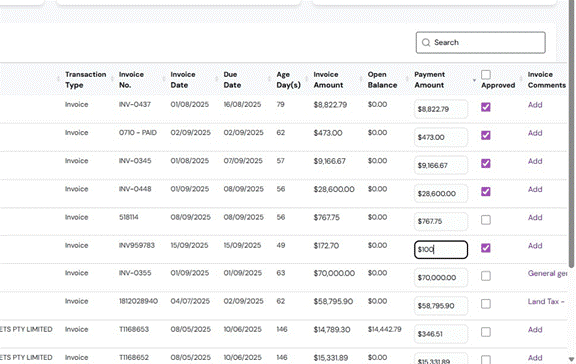
- Enter the partial amount in the Payment Amount field
- Click outside the field to save.
- Add a reason in the Comment box.
- Re-check the Approved box to confirm the partial payment.
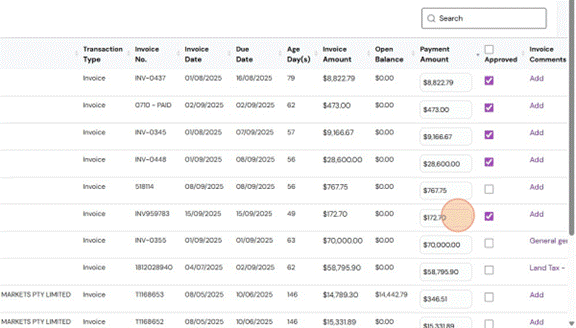
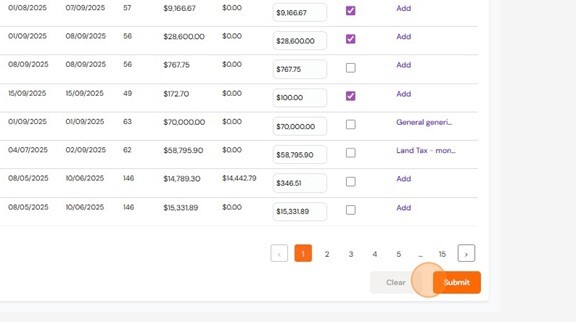
9. In this example, we have included a partial payment amount of $100 for this invoice.
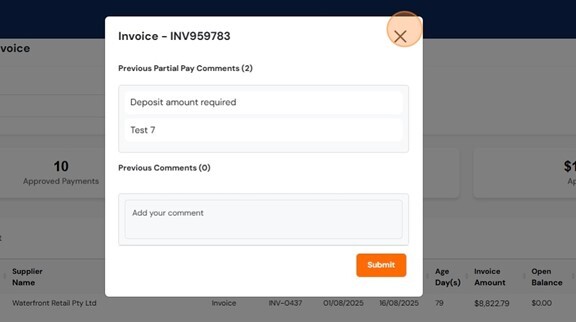
10. Enter a reason or comment for the partial payment.
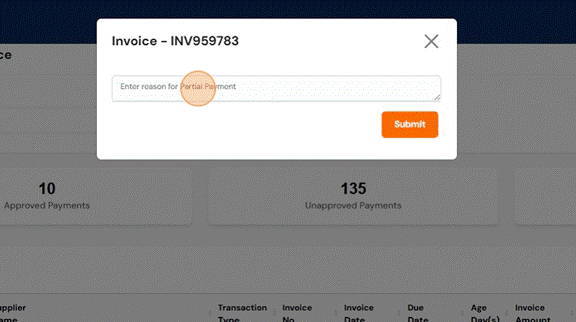
11. Click Submit to save the partial payment details.
Add Comments or Notes
12. To leave internal notes or payment instructions, click the Add button in the Comments section for any invoice.
These comments will remain on the invoice to assist your team and serve as a reminder of any partial payments or updates that need to be tracked.
Submit Approvals
14. Once all invoices are reviewed and selected, click Submit.
Once you have clicked Submit, send an email to your venue's dedicated Quantaco email address (e.g., venuename@quantaco.co) to confirm that payables are ready to be processed.