
Incident Report updates now include new features for creating, managing, linking, and flagging reports across web and mobile.
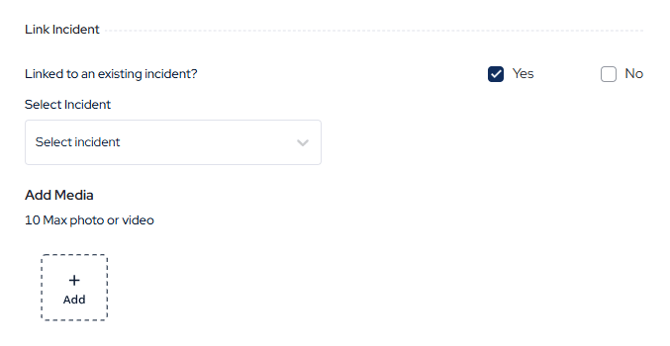
On the web, you can now link an Incident Report to another report and attach media files. Supported media file types include images, videos, and PDFs.
-
On the app, we’ve added the Incident Report flags that are already available on the web:
-
-
Incident Report flags indicate the timeliness and completeness of a report: - Created within 24 hours of the incident with all mandatory fields completed (green flag)
-
Not created within 24hours of the incident and all mandatory fields completed (orange flag)
-
Not created within 24 hours and still in draft or submitted status (red flag)
-
-
-
On both the web and the app, you can filter Incident Reports by flag status and time. To apply a filter, open the Incident Reports list and select the filter icon.