
What causes ageing items to display as zero?
Age is displayed as 0 when the item's due date is the current date or a future date. This behaviour is working as designed.
How can I resolve ageing items showing as zero?To have a non‑zero age value, ensure the item's due date is earlier than today.
Steps:
- Open the record and locate the due date field.
- Confirm whether the due date is today or in the future.
- If appropriate, update the due date to a past date so the ageing calculation reflects elapsed time.
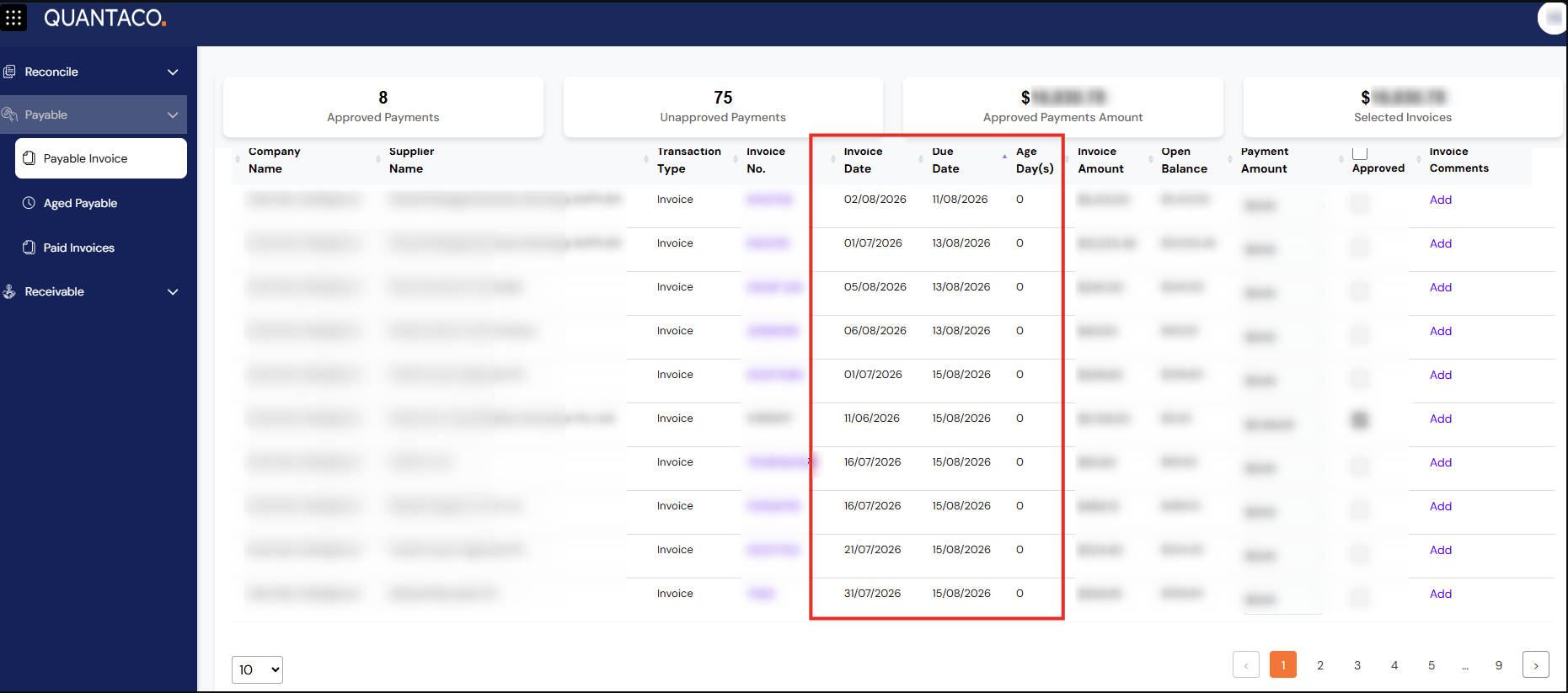
Troubleshooting — quick checks
- Verify the system date/time is correct for your environment.
- Confirm you are viewing the field that represents the due date used for ageing calculations.
Conclusion
Age values of zero indicate the item is not yet past its due date; updating the due date to a prior date will result in a non‑zero age.